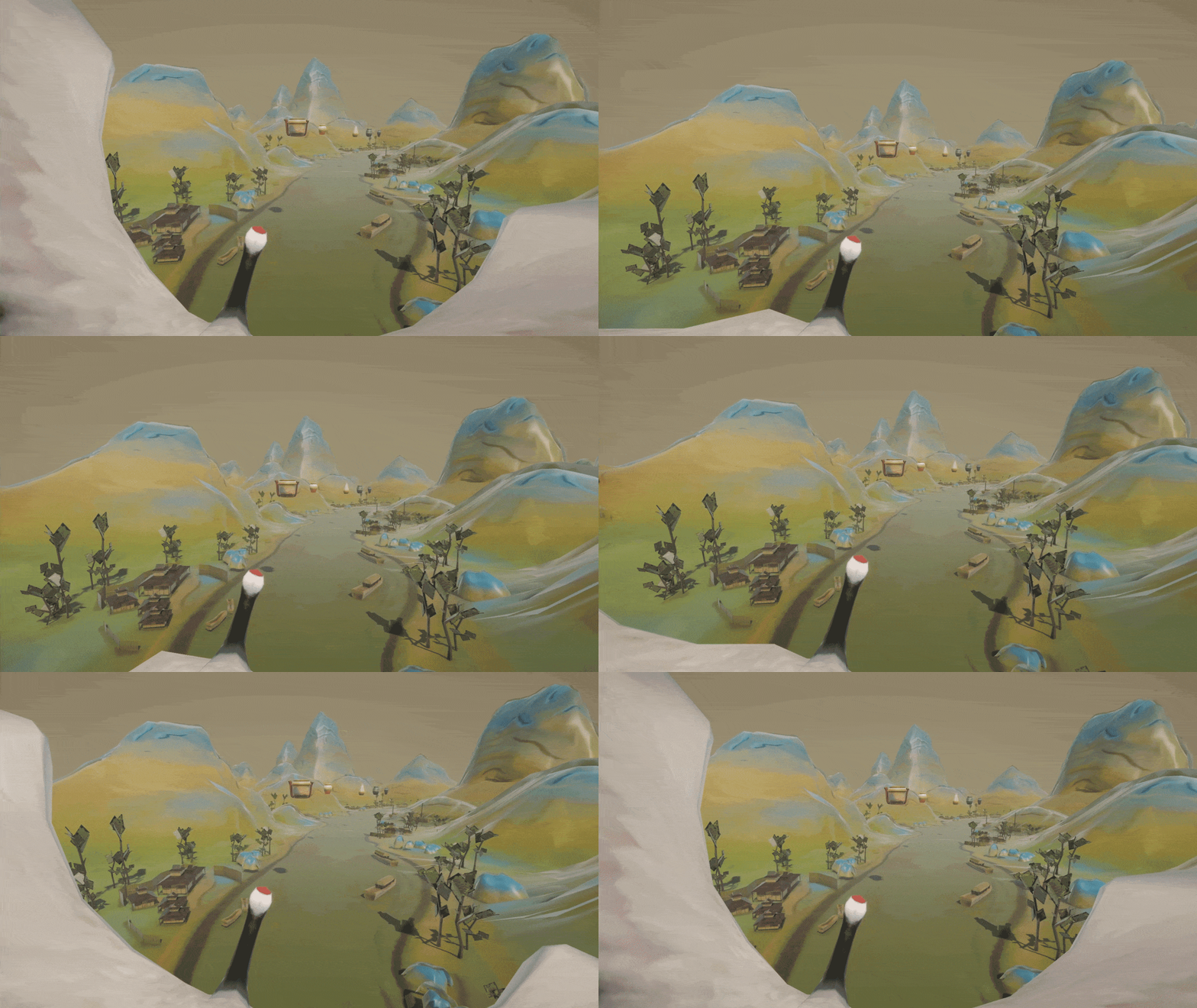
Riding a crane, let’s embark on an exhilarating quest in the painting of “A Thousand Li of Rivers and Mountains”.
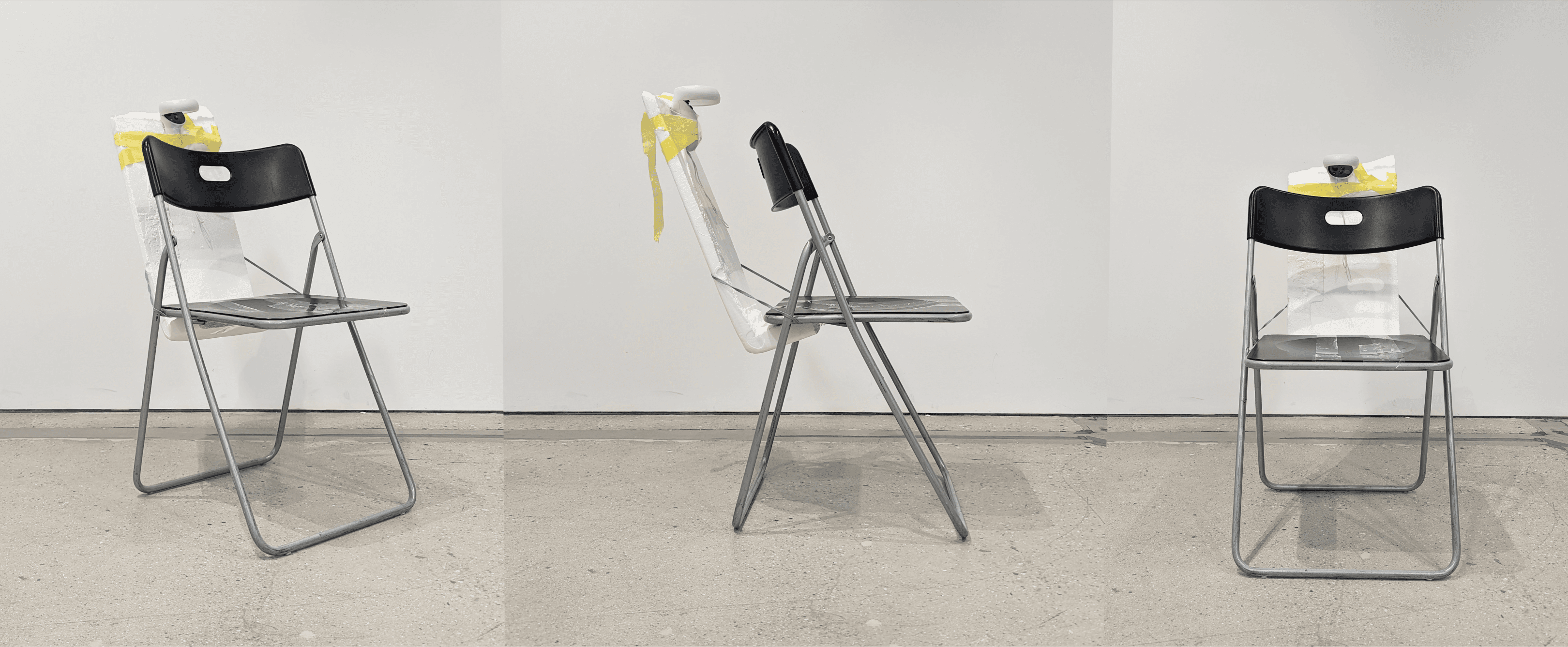
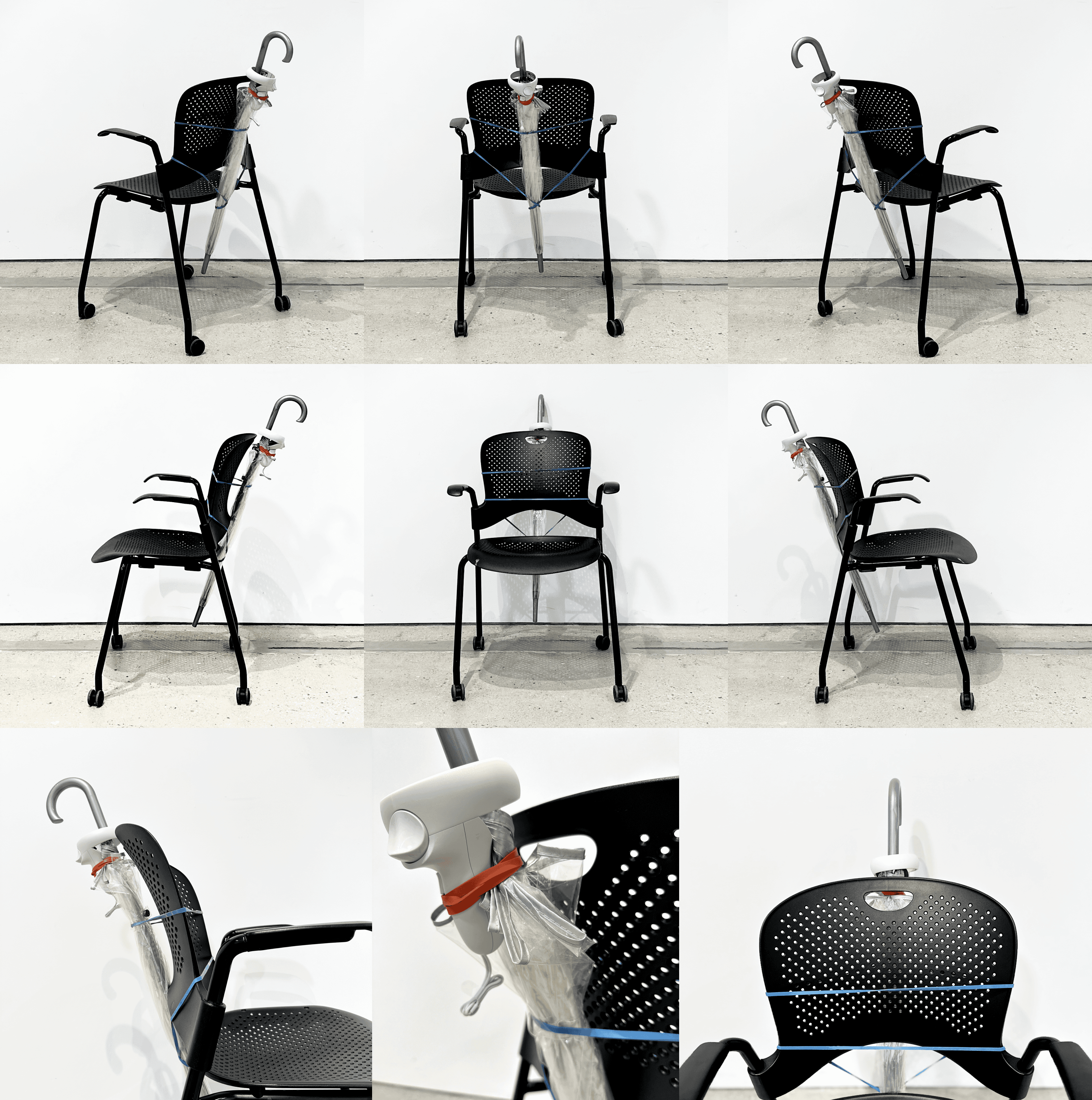
XR exercise that transforms an ordinary chair into an interactive Unity scene, incorporating actions such as following, trailing, and searching to examine how objects can autonomously track their position, rotation, and usage, as well as the user's position and posture.
Timeline
Oct 2023 (1.5 Days)
Role
XR Prototyping, Physical Object Prototyping
Tool
Unity, Meta XR SDK, Meta Quest 2
Teammate
Kangning Tang
Instructor
Jenny Rodenhouse, John Brumley
XR exercise that transforms an ordinary chair into an interactive Unity scene, incorporating actions such as following, trailing, and searching to examine how objects can autonomously track their position, rotation, and usage, as well as the user's position and posture.
Timeline
Oct 2023 (1.5 Days)
Role
XR Prototyping, Physical Object Prototyping
Tool
Unity, Meta XR SDK, Meta Quest 2
Teammate
Kangning Tang
Instructor
Jenny Rodenhouse, John Brumley
XR exercise that transforms an ordinary chair into an interactive Unity scene, incorporating actions such as following, trailing, and searching to examine how objects can autonomously track their position, rotation, and usage, as well as the user's position and posture.
Timeline
Oct 2023 (1.5 Days)
Teammate
Kangning Tang
Role
XR Prototyping, Physical Object Prototyping
Instructor
Jenny Rodenhouse, John Brumley
Tool
Unity, Meta XR SDK, Meta Quest 2
XR exercise that transforms an ordinary chair into an interactive Unity scene, incorporating actions such as following, trailing, and searching to examine how objects can autonomously track their position, rotation, and usage, as well as the user's position and posture.
Timeline
Oct 2023 (1.5 Days)
Role
XR Prototyping, Physical Object Prototyping
Tool
Unity, Meta XR SDK, Meta Quest 2
Teammate
Kangning Tang
Instructor
Jenny Rodenhouse, John Brumley
Reflection
Reflection
Reflection
Reflection
Learned to map the physical object (chair) to virtual counterpart (crane) in Unity.
Learned to map the physical object (chair) to virtual counterpart (crane) in Unity.
Learned to map the physical object (chair) to virtual counterpart (crane) in Unity.
Learned to map the physical object (chair) to virtual counterpart (crane) in Unity.
Discovered the location where the Oculus headset is initially put on determines the OVR (Oculus VR) origin position, which serves as the reference point for the user's head tracking and spatial orientation within the virtual environment.
Discovered the location where the Oculus headset is initially put on determines the OVR (Oculus VR) origin position, which serves as the reference point for the user's head tracking and spatial orientation within the virtual environment.
Discovered the location where the Oculus headset is initially put on determines the OVR (Oculus VR) origin position, which serves as the reference point for the user's head tracking and spatial orientation within the virtual environment.
Discovered the location where the Oculus headset is initially put on determines the OVR (Oculus VR) origin position, which serves as the reference point for the user's head tracking and spatial orientation within the virtual environment.
Realized that the setup of the OVR origin position is crucial for ensuring that the virtual space corresponds accurately to the user's physical movements and interactions.
Realized that the setup of the OVR origin position is crucial for ensuring that the virtual space corresponds accurately to the user's physical movements and interactions.
Realized that the setup of the OVR origin position is crucial for ensuring that the virtual space corresponds accurately to the user's physical movements and interactions.
Realized that the setup of the OVR origin position is crucial for ensuring that the virtual space corresponds accurately to the user's physical movements and interactions.
Reflection
Reflection
Reflection
Reflection
Introduce acceleration based on tilt angle for speed variation.
Introduce acceleration based on tilt angle for speed variation.
Introduce acceleration based on tilt angle for speed variation.
Introduce acceleration based on tilt angle for speed variation.
Enable interaction with both hands in the scene: one hand to control the crane, and the other hand to collect floating pottery using magical tools like a “fly whisk”.
Enable interaction with both hands in the scene: one hand to control the crane, and the other hand to collect floating pottery using magical tools like a “fly whisk”.
Enable interaction with both hands in the scene: one hand to control the crane, and the other hand to collect floating pottery using magical tools like a “fly whisk”.
Enable interaction with both hands in the scene: one hand to control the crane, and the other hand to collect floating pottery using magical tools like a “fly whisk”.
Explore motion simulator features for enhanced realism, such as making the chair move up and down to simulate riding a crane.
Explore motion simulator features for enhanced realism, such as making the chair move up and down to simulate riding a crane.
Explore motion simulator features for enhanced realism, such as making the chair move up and down to simulate riding a crane.
Explore motion simulator features for enhanced realism, such as making the chair move up and down to simulate riding a crane.